
In today’s digital landscape, video has a considerable impact on content consumption. The benefits of video content are immense, yet creating it—especially at scale—can be quite tedious. But what if you could automate the entire process? In this blog post, we’ll explore how to create a large quantity of videos from an RSS feed automatically. With this approach, every time a new entry pops up, a new video will be generated and distributed wherever you want. Let’s dive into the world of RSS Feeds and discover how to streamline your video production!
The Importance of Video Content
Video is becoming increasingly important in the publishing world. With the rise of short-form social media content and shrinking attention spans, having a robust content creation system is essential. If you’re in the business of licensing news content, adding video can significantly enhance your offerings. In fact, a recent study by Press Gazette in 2023 revealed that news websites in the UK publish around 500 articles daily—equating to one article every three minutes! This staggering volume means that creating a video for each article can seem like an impossible task.

Automating Video Creation with Plainly
Instead of manually creating hundreds of videos, we can set up a fully automated RSS to video workflow using Plainly. This method eliminates the need for human intervention in the process. Whenever a new entry appears in your RSS feed—be it a blog post, news article, or anything else—a video will be generated and distributed automatically.
To get started, visit Plainly and see how they can help you scale your video production. You can test it out for 14 days for free or book a demo.
Step 1: Choose an After Effects Template
The first step in this automation process is to choose an After Effects template. For this tutorial, we’ll use a simple template that includes variations for both wide and story formats. This template will contain a headline, a subheadline, and a cover image—perfect for inserting your content.
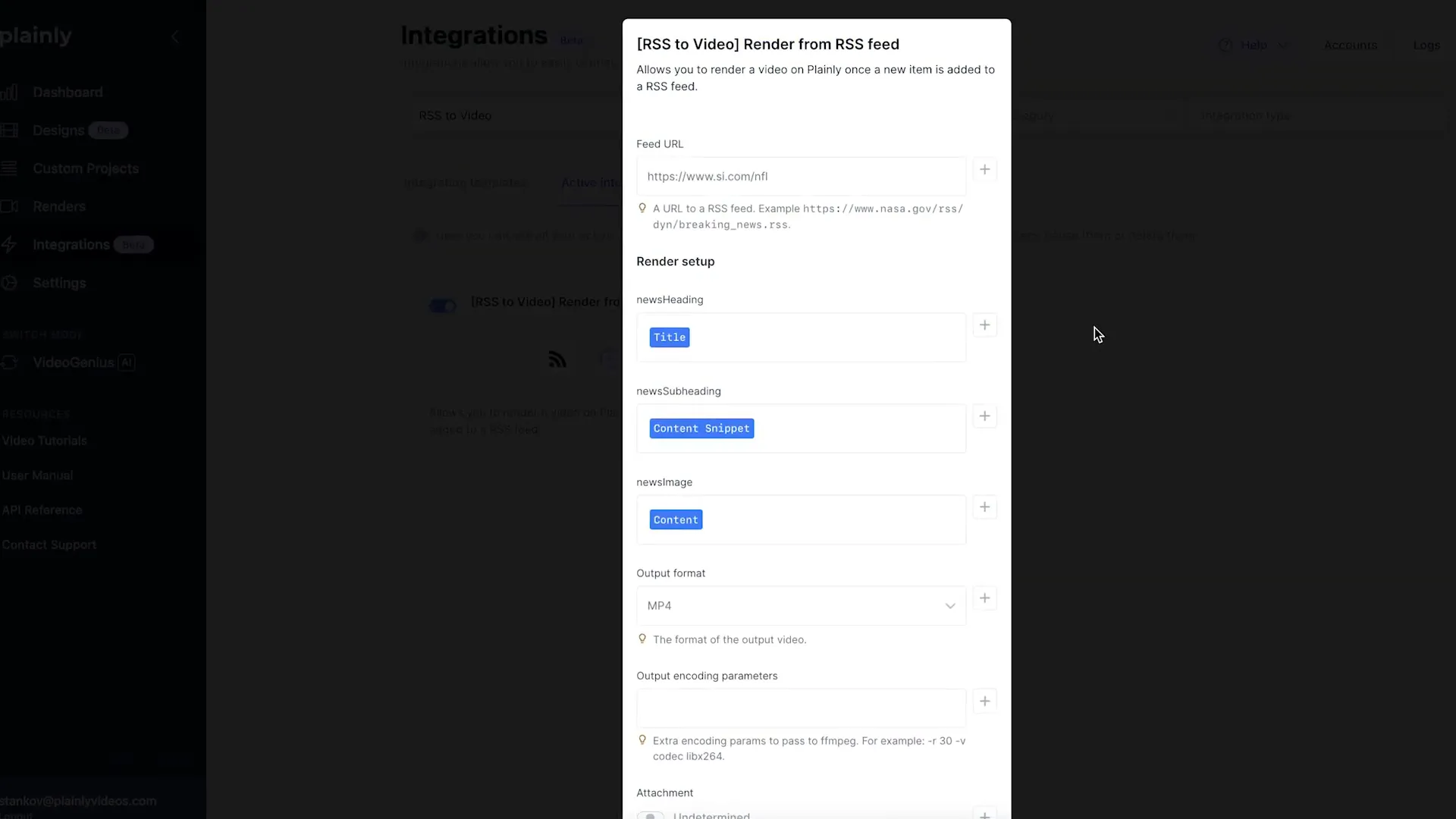
Step 2: Upload the Template to Plainly
Next, upload your selected template to Plainly. After uploading, you’ll need to set up the RSS to video integration. This step links your RSS feed to the video generation process, making it seamless and efficient.
Step 3: Set Up Output Integration
Now, decide where your videos will be sent once they are generated. For this example, we’ll use Google Drive integration to send our videos there. However, Plainly offers various other integrations, including YouTube and Vimeo. You can also create a fully customized workflow using their API.
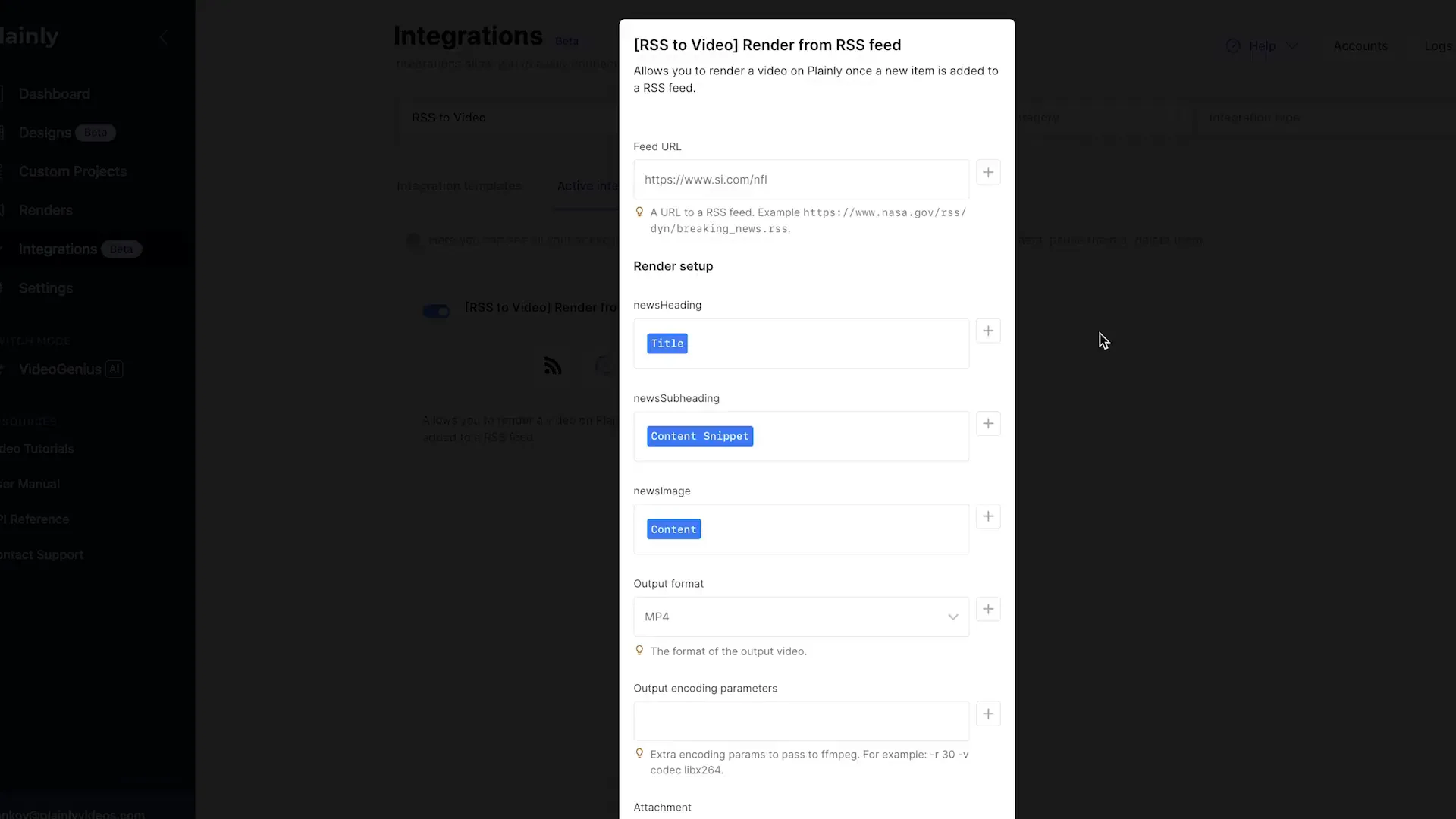
The Automation Process
Once everything is set up, the automation takes over. Here’s a brief overview of how the process works:
- A new entry appears in your RSS feed.
- The render is triggered.
- The video is generated.
- The video is sent or published to your selected platform (social media, website, etc.).
This tutorial demonstrates creating one video from one RSS item. However, you can also pull data from several RSS items into a single video. For example, you could create a video summarizing the most important news of the day by including five articles in one video.

Benefits of Automated RSS to Video Creation
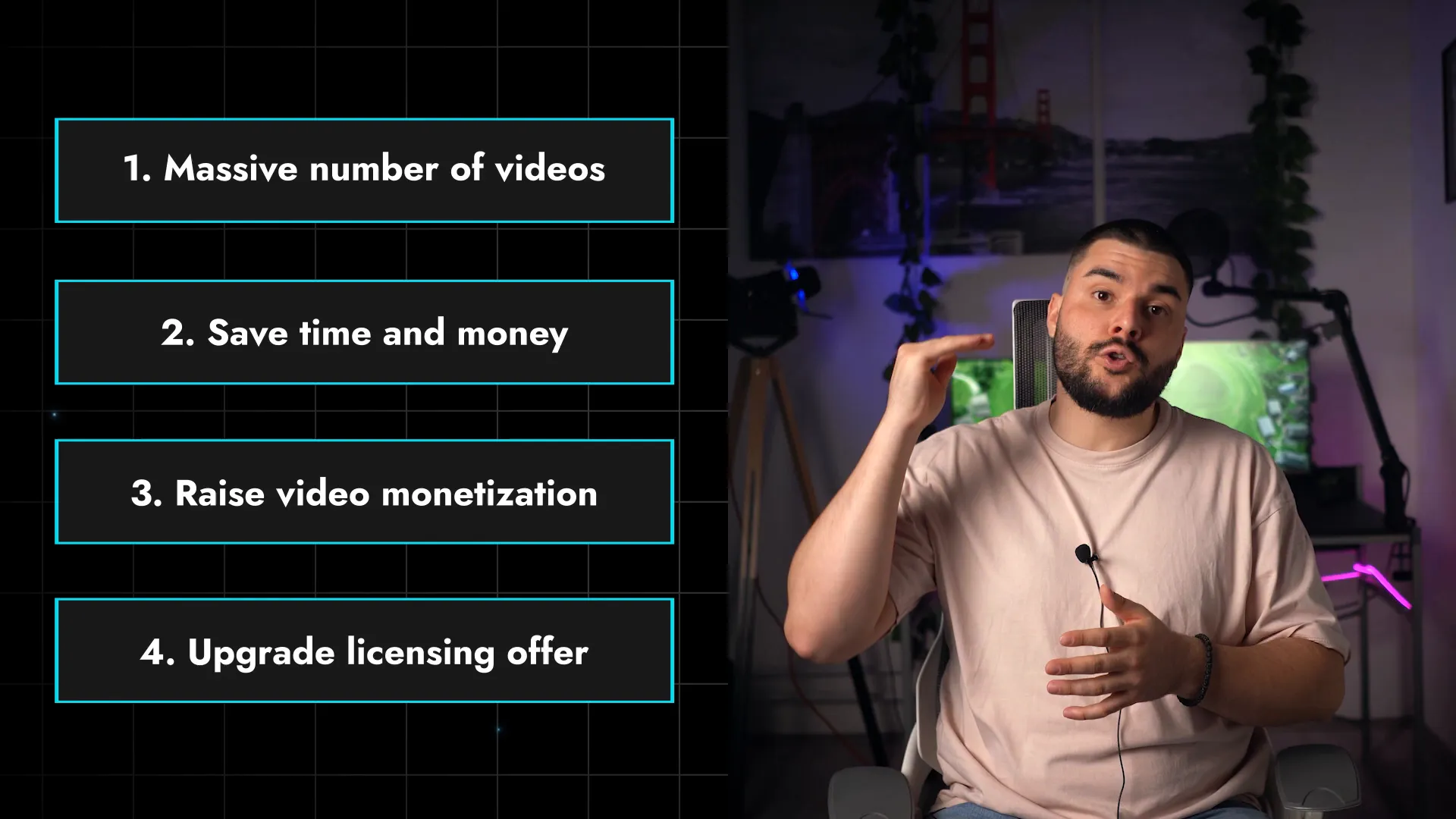
This automated RSS to video workflow allows you to produce a massive number of videos for social media on a daily basis. Here are some key benefits:
- Time and Cost Efficiency: Save time and resources that would otherwise be spent on manual video editing and publishing.
- Increased Output: Generate a higher volume of video content to keep pace with the rapid flow of news and social media trends.
- Monetization Opportunities: Increase your video monetization potential by producing more content.
- Enhanced Offerings: If you’re licensing content to other agencies, this automation allows you to upgrade your offerings by including video content.
Exploring Further Automation Tools
If you’re a publisher looking to automate video creation from RSS feeds, consider checking out our text-to-video AI tool, VideoGenius. This tool can help you scale your video production even further.
Conclusion
Automating your video creation process using an RSS feed and Plainly is not only more efficient than manually editing and publishing videos, but it also transforms your content strategy. It’s scalable, quick, and enhances your ability to monetize and distribute content effectively. So, ask yourself: is this better than manually editing and publishing videos or not utilizing video at all?
Ready to revolutionize your video production? Check out Plainly, test it for 14 days free, or book a demo today! And don’t forget to subscribe to our YouTube channel to stay updated on the latest tips and tricks for automating your video production!
Unleash the Power of Marketing Automation
And Take Your Online Business to New Heights!
Learn the Insider’s Secrets to Scale Your Content Marketing on “Autopilot” with Bi-Weekly Strategy Sessions from the Marketing Automation Gurus
